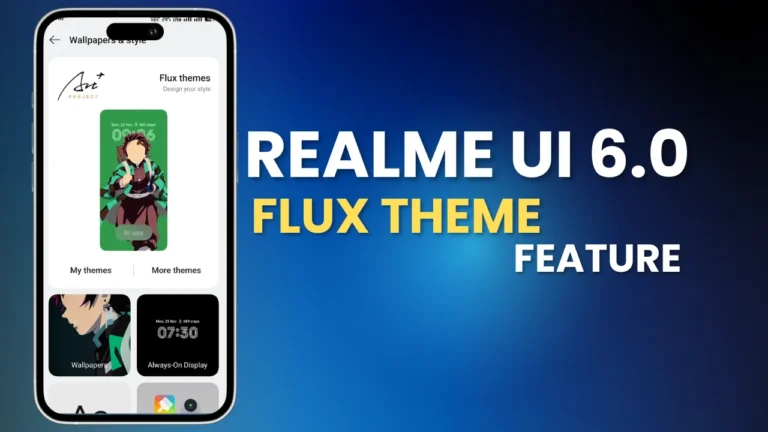
Realme UI 6.0 introducing the new feature for Customization of Lockscreen and Home screen with the “Flux theme”. Flux Theme in the Wallpaper & Style section. Here are the detailed features:
Table of Contents
Core Highlight
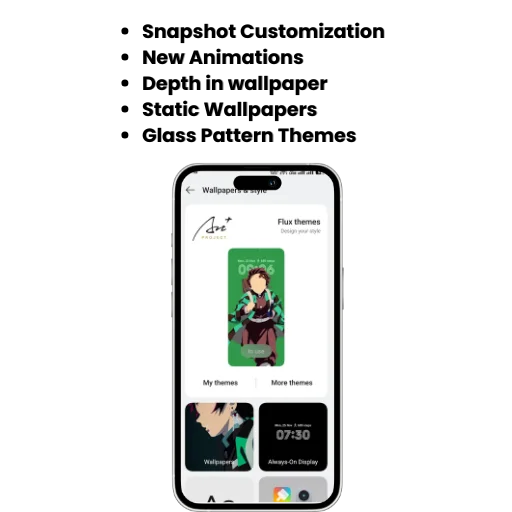
- Snapshot Customization
- New Animations
- Depth in wallpaper
- Static Wallpapers
- Glass Pattern Themes
What is Realme Flux theme?
Realme has introduced new feature in Realme UI 6.0 update In wallpaper section called Realme Flux Theme. This Feature is more advanced to customise wallpaper and Homescreen with Smart color mixing, depth of field, glass texture, wallpaper blur. Here are some screenshots of Realme Flux theme:
New Wallpaper Categories
| Wallpaper Type | Description |
|---|---|
| Classic Cover | A standard option for both Lock Screen and Home Screen. |
| Snapshot Option | Allows adding personalized photos from your gallery. |
| Static Wallpapers | Several new wallpapers added, including Submarine Glow, Planetary Art, and more. |
Option in Realme Flux Theme Feature
Clock Style & Font:
- Change the style and size of the clock displayed on the Home and Lock screens.
- Modify additional clock information like font type, size, and alignment.
Background and Depth:
- Adjust background colors to match your theme.
- Manage depth effects for a premium look.
Glass Pattern Themes:
Customize themes with Glass Platen effects, providing a sleek and stylish appearance.
Always-On Display (AOD) Customization
Seamless AOD Integration:
This update offers enhanced customization options for the AOD, allowing users to personalize fonts, colors, and background styles.
Improved AOD Effects:
The lock screen and AOD work seamlessly together, creating a top-notch visual experience with smooth transitions.
| Feature | Description |
|---|---|
| Font Options | Add and modify fonts in AOD display. |
| Glass Pattern Effects | Apply stylish glass patterns to themes. |
| Personal Photos | Use gallery photos for AOD and lock screen customization. |
| Depth Management | Fine-tune depth effects for enhanced visuals. |
Realme Flux Theme Other Highlights
Snapshot Customization:
This feature allows users to add personal photos as wallpapers.
- Styles like Glass Pattern are available.
- Clock info, colors, and depth can be easily modified.
New Animations:
- The updated animations now provide a dynamic effect while opening or closing the device, delivering a premium feel.
Lock Screen Magazine Integration:
- The Lock Screen Magazine integrates seamlessly with Always-On Display to provide a unique and stylish experience.
How to Enable Realme Flux Theme?
Settings > Wallpaper & Personalization, Click “Flux Theme” to set styles for “Lock Screen,” “Screen Off,” and “Home Screen.”